Difference Between Boosting Posts vs Running Ads Manager Campaigns
Boosting posts is easy but limited. Ads Manager delivers better results. Learn the key differences and why serious advertisers use Ads Manager, not boost.
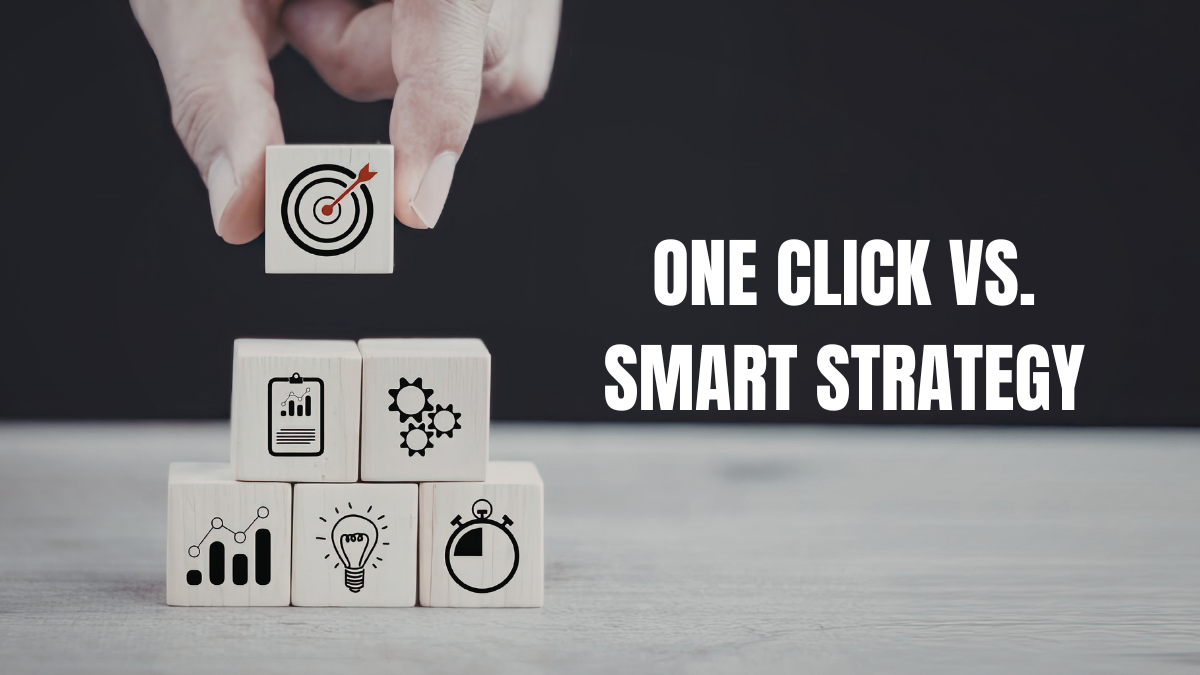
You’ve probably seen that little “Boost Post” button on your Facebook or Instagram posts. It’s tempting, right? One click, enter your budget, and boom—your post is an ad reaching thousands of people.
Meanwhile, you’ve heard people talk about Facebook Ads Manager with its complicated interface, multiple settings, and seemingly endless options. It looks intimidating compared to that simple boost button.
So what’s the difference? And more importantly, which one should you be using?
Let me break down the real differences between boosting posts and running proper Ads Manager campaigns, and why understanding this could save you a lot of wasted money.
Boosting is Facebook’s simplified advertising option. You create a regular post on your page, then click “Boost Post” to turn it into an ad.
You choose a basic audience (people who like your page, their friends, or people you target), set a budget, pick how long it runs, and you’re done. Facebook handles everything else automatically.
It’s designed to be easy. No complex setup, no learning curve, no overwhelming options. Just click a few buttons and your post gets shown to more people.
Sounds great, right? Well, yes and no.
Ads Manager is Facebook’s full advertising platform. It’s where professional advertisers and agencies run campaigns.
Instead of just boosting an existing post, you build campaigns from scratch with complete control over:
It’s more complex, but that complexity gives you power and precision that boosting simply can’t match.
Let’s get specific about what’s different and why it matters for your results:
Boosting: You get three basic goals—more engagement, more messages, or more website visits. That’s it.
Ads Manager: You get specific objectives like conversions, lead generation, app installs, catalog sales, store visits, and many more. Each objective tells Facebook exactly what you want and optimizes delivery accordingly.
Why this matters: Facebook’s algorithm optimizes based on your objective. If you want sales but can only choose “website visits” through boosting, Facebook will show your ad to people who click links—not necessarily people who buy. With Ads Manager, you can optimize specifically for purchases, which typically delivers better ROI.
Boosting: You get basic targeting—age, location, gender, and broad interests. You can target people who like your page or create a simple custom audience.
Ads Manager: You get granular targeting with detailed demographics, specific interests, behaviors, custom audiences, lookalike audiences, and the ability to layer multiple criteria. You can exclude audiences, create complex combinations, and really zero in on your ideal customer.
Why this matters: Better targeting means you spend money reaching the right people instead of wasting budget on people who will never buy. The difference in ROI can be dramatic.
Boosting: Facebook decides where your ad appears. You get automatic placements across Facebook and Instagram, but you can’t control specifically where.
Ads Manager: You choose exactly where your ads appear—Facebook feed, Instagram feed, Stories, Reels, Audience Network, Messenger, and more. You can select specific placements or let Facebook optimize across the ones you choose.
Why this matters: Different placements perform differently for different businesses. Maybe your ads kill it in Instagram Stories but flop in the Facebook right column. With Ads Manager, you can put budget where it works best. With boosting, you’re stuck with whatever Facebook decides.
Boosting: You’re limited to the post you already created. One image, one video, or one carousel—whatever you posted organically.
Ads Manager: You can create multiple ad variations, test different formats (single image, video, carousel, collection, slideshow), use different copy for different audiences, and run sophisticated A/B tests.
Why this matters: Testing different creative is how you find what resonates. One image might perform 3x better than another. One headline might double your conversion rate. Boosting doesn’t let you test effectively.
Boosting: Basic metrics like reach, engagement, and link clicks. You can’t track conversions or see what happened after someone clicked.
Ads Manager: Full conversion tracking with the Facebook Pixel. You can see exactly who made a purchase, signed up, downloaded something, or completed any action you define. The algorithm uses this data to optimize for conversions, not just clicks.
Why this matters: Clicks don’t pay your bills—conversions do. If you can’t track conversions, you can’t optimize for them. You’re flying blind, measuring vanity metrics instead of actual business results.
Boosting: You set a total budget and Facebook spends it however it wants within your targeting parameters.
Ads Manager: You can set daily or lifetime budgets, control bidding strategies, set bid caps, optimize budget across ad sets, and have much more control over how your money is spent.
Why this matters: Strategic budget allocation can dramatically improve ROI. Maybe you want to spend more on your best-performing audience and less on others. Ads Manager lets you do that. Boosting doesn’t.
Boosting: No real testing capabilities. You boost a post and hope it works.
Ads Manager: Built-in A/B testing tools. You can test different audiences, creative, placements, or delivery optimization and see definitively what works better.
Why this matters: Marketing is about testing and learning. Without proper testing, you’re guessing. With testing, you’re making data-driven decisions that improve results over time.
Boosting: Very limited. You can boost to people who like your page or a basic custom audience, but the options are restricted.
Ads Manager: Full access to custom audiences—website visitors, email lists, app users, engagement audiences. Powerful lookalike audiences based on your best customers. Sophisticated retargeting options.
Why this matters: Your warmest audiences (people who visited your site, engaged with your content, or are similar to your customers) convert way better than cold traffic. Ads Manager gives you access to these gold mine audiences. Boosting barely scratches the surface.
To be fair, boosting isn’t always wrong. There are situations where it’s appropriate:
You want quick engagement on a post. If you just want more likes and comments on a specific piece of content and don’t care about conversions, boosting works fine.
You’re testing content for organic reach. Boosting a post to your existing audience can help you see what content resonates before investing in larger campaigns.
You’re promoting a local event. For simple awareness of a community event to local people, boosting can get the job done without complexity.
You’re brand new and just learning. If you’ve never run ads before and want to dip your toe in the water, boosting is less overwhelming than Ads Manager. Just don’t stay there long.
You need something quick and simple. Sometimes you just need to get something in front of more people fast, and you don’t have time to build a full campaign.
But notice what’s missing from this list: any situation where you’re trying to drive actual business results like sales, leads, or meaningful conversions. For those goals, Ads Manager is almost always better.
Use Ads Manager when you want:
Actual business results. Sales, leads, appointments, downloads—anything that matters to your bottom line should be done through Ads Manager.
Better ROI on your ad spend. If you’re investing real money, the superior targeting and optimization of Ads Manager typically delivers much better returns.
To reach new customers. Lookalike audiences and sophisticated targeting help you find new people similar to your best customers.
To retarget website visitors. Bringing back people who visited your site but didn’t convert requires Ads Manager’s custom audience capabilities.
To test and optimize. If you want to improve performance over time through testing, you need Ads Manager’s tools.
Control over your campaigns. When you need to decide exactly who sees your ads, where they see them, and what you pay, Ads Manager gives you that control.
To scale profitably. Once you find what works, Ads Manager lets you scale intelligently by allocating more budget to your best audiences and placements.
Yes, Ads Manager is more complex than clicking “Boost Post.” There’s a learning curve. It takes time to understand how to set up campaigns properly.
But here’s the thing: that complexity is there for a reason. It gives you tools that dramatically improve results when used correctly.
The difference in ROI between a boosted post and a well-optimized Ads Manager campaign can easily be 2x, 3x, or even 5x. That’s not a small difference—that’s the difference between ads that waste money and ads that grow your business.
Think of it this way: boosting is like driving an automatic car with cruise control. Ads Manager is like a manual transmission with full control. The automatic is easier, but the manual gives you better performance when you know how to use it.
If you’ve been boosting posts and want to step up to Ads Manager, here’s how to make the transition:
Start with a clear goal. What do you want to achieve? Sales? Email signups? Website traffic? Know your objective before you build a campaign.
Set up the Facebook Pixel. Install it on your website and let it start tracking before you run ads. This data is gold.
Begin with simple campaigns. You don’t need to use every feature immediately. Start with basic campaigns and add complexity as you learn.
Use Ads Manager’s guided creation. Facebook has a simplified flow in Ads Manager that walks you through the process step by step.
Test small budgets first. Run campaigns with $5-10/day while you’re learning. Don’t risk big budgets until you know what you’re doing.
Take a course or watch tutorials. There are countless free resources teaching Ads Manager. Invest a few hours in learning—it pays off quickly.
Don’t be afraid to experiment. You’ll make mistakes. That’s okay. Learn from them and improve.
Boosting posts is easy, convenient, and good for quick engagement. But it’s limited, inefficient, and usually delivers poor ROI compared to proper Ads Manager campaigns.
If you’re serious about using Facebook and Instagram ads to grow your business, you need to move beyond boosting and learn Ads Manager. The targeting is better, the optimization is better, the tracking is better, and the results are better.
Yes, there’s a learning curve. Yes, it’s more complex. But the difference in results is so significant that the time investment pays for itself quickly.
Stop settling for the easy button that delivers mediocre results. Learn to use the tools that professionals use, and you’ll get professional-level results.
Boost posts when you just want quick engagement on something. But when you want sales, leads, and real business growth? That’s what Ads Manager is for.
Make the switch. Your ROI will thank you.
Let's Talk
Have questions about your digital strategy? Want to explore how we can help you grow? Let’s chat. No pressure, no hard sell, just honest conversation about your goals.

Your partner in social media, paid ads, and SEO strategies that fuel growth.
+8801905495575
info@flockflare.com
Mohammadpur-1207
© Copyright 2026 Flock Flare | All Rights Reserved.